Your whole home at a glance.
Home Pro turns your HomeKit home into one calm overview: the temperature of every room, open windows and doors, low batteries and unlocked locks. On iPhone, on your Home Screen and on your wrist.
For iPhone and Apple Watch. Works with HomeKit accessories.
What needs you, first.
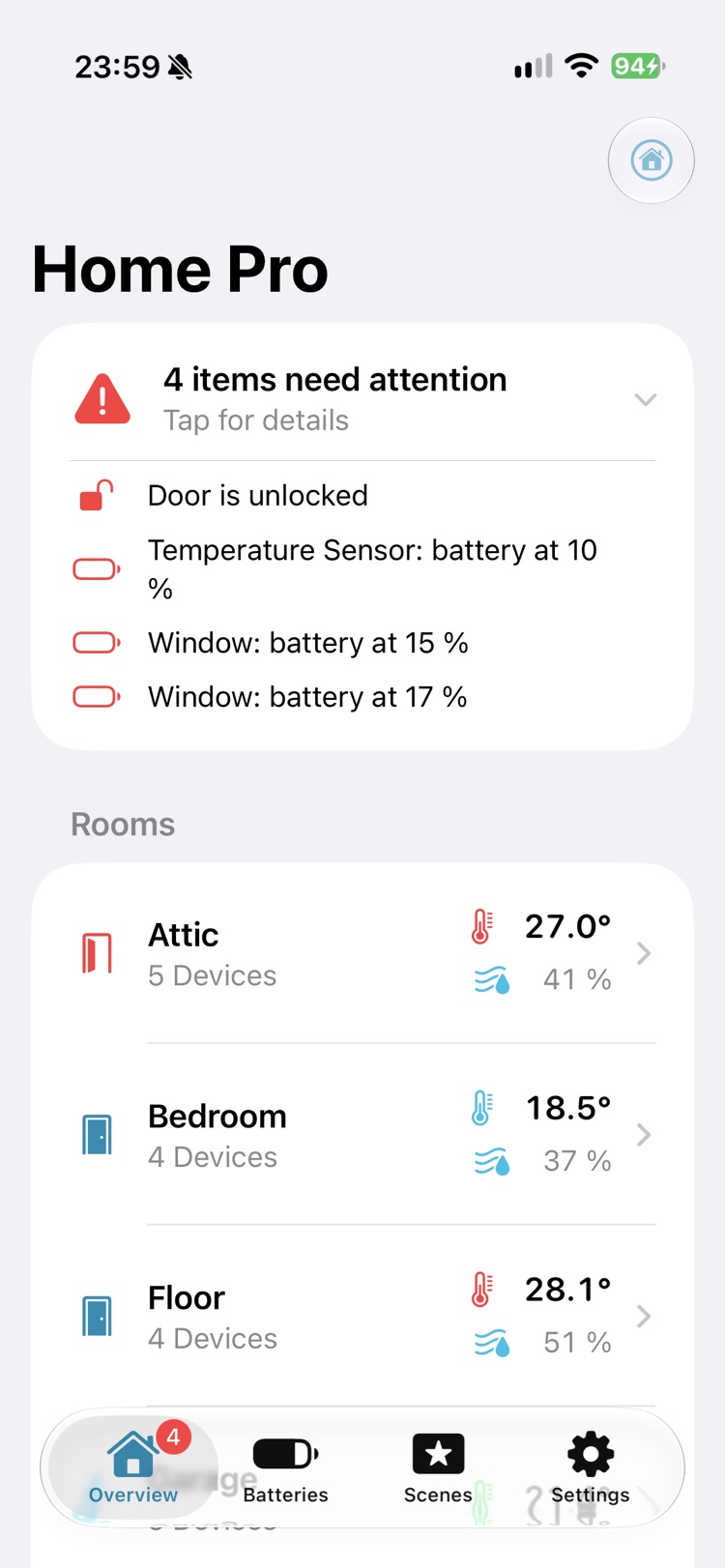
Home Pro puts the exceptions on top: the door that is still unlocked, the sensor whose battery is running out. Everything else stays quiet.
-
Rooms at a glance
Every room shows its average temperature and humidity. The door symbol opens and turns red as soon as a window or door in that room is open.
-
Batteries, lowest first
All batteries in your home, grouped by room. Filter to the low ones, and set the level at which Home Pro warns you.
-
Control, when you need it
Lights with brightness and colour, heating with target temperature, TVs. Run, edit and delete your scenes.
-
Widgets
Batteries, room climate and a house overview with locks and garage doors, for your Home Screen. Batteries on the Lock Screen too.
-
Apple Watch
An app and complications for batteries, room climate, locks and garage doors. Check your home without taking out your phone.
-
More than one home
Switch between your homes on iPhone, and choose which home your Apple Watch and its complications show.
Batteries
Never be surprised by a flat battery.
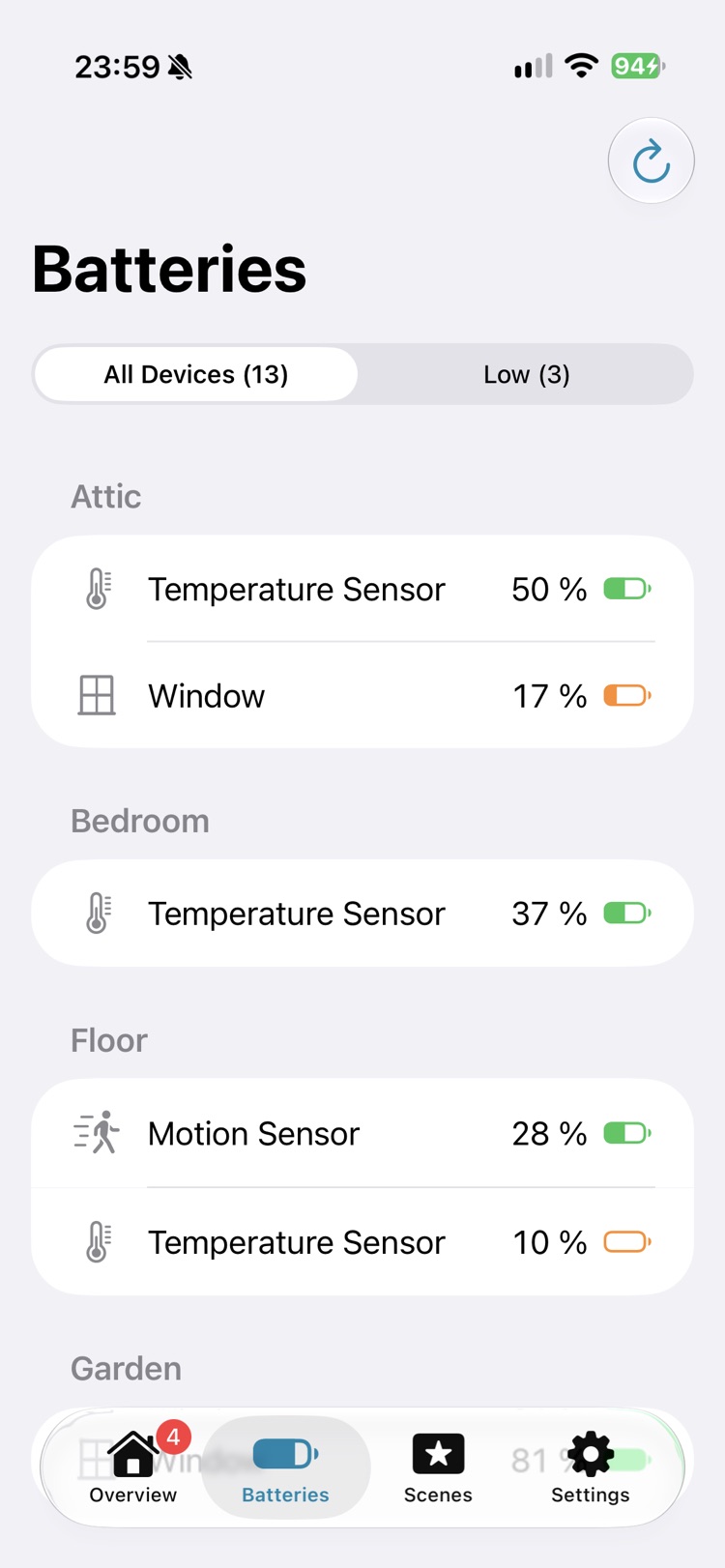
Every battery in your home in one list, sorted by room and marked only when it matters. Orange and red appear when a level drops below the warning level you set.
- All devices, or only the low ones with one tap.
- Each device with its own symbol: thermometer, window, motion sensor.
- Your warning level, the same on iPhone, widgets and Apple Watch.
Lights
Light, in exactly your colour.
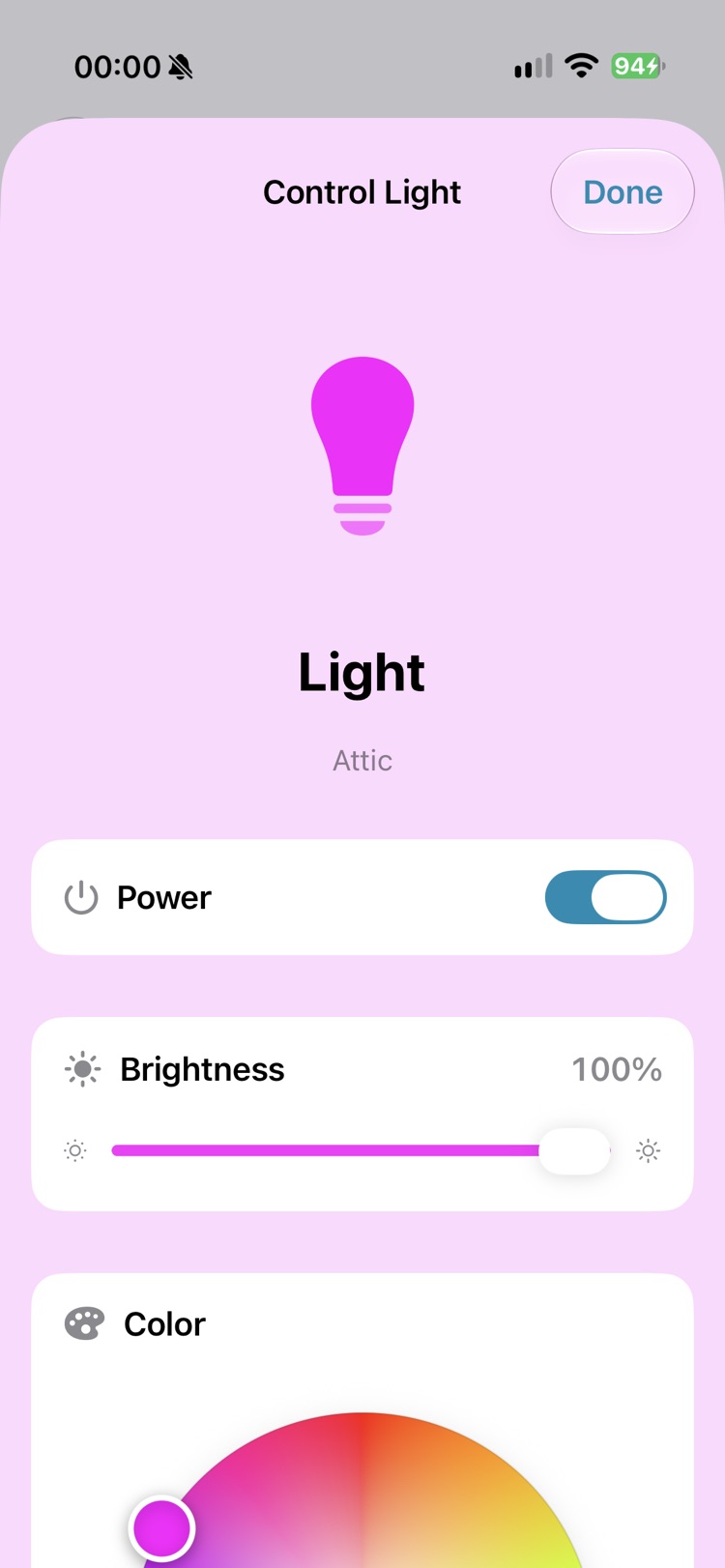
Press and hold a light for quick controls, or open the full view: power, brightness, a colour wheel and a set of quick colours, from warm white to deep blue.
- The lamp symbol shows the colour it is shining in.
- Changes appear live when someone else switches the light.
Heating
Heating, without hunting for it.
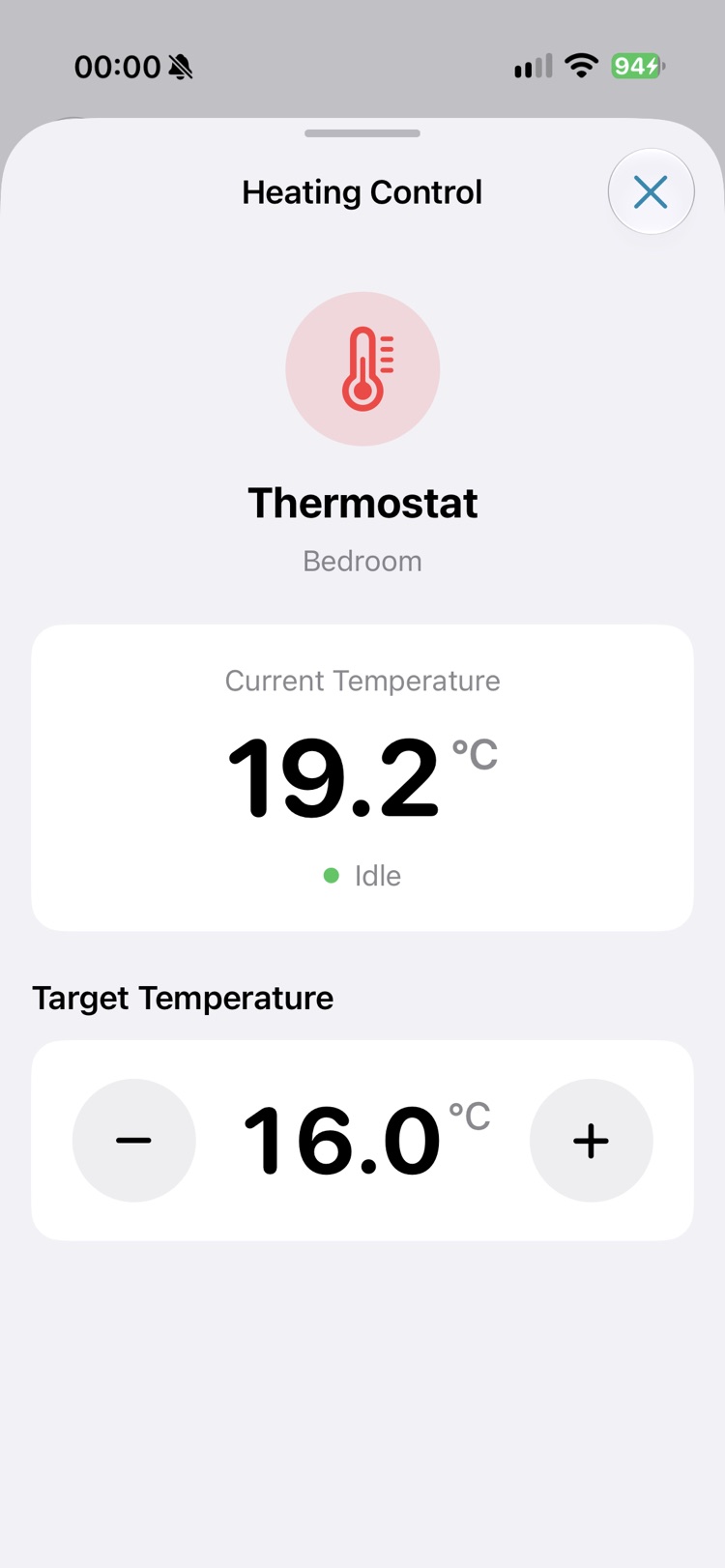
See the current temperature and whether your thermostat is heating or idle. Set the target in half-degree steps. In the full view you can also pick the mode: off, heat, cool or auto.
Widgets
The answer is already on your Home Screen.
Three widgets that show what is useful and nothing else. Tap one to jump straight to the right place in the app.
-
Batteries
The lowest levels in your home. Page through longer lists right in the widget, and show only low batteries if you like.
- Small
- Medium
- Large
- Lock Screen
-
Room Climate
Temperature, humidity and open contacts of the room you choose.
- Small
- Medium
- Large
-
House Overview
A room's climate next to the state of your locks and garage doors. Anything unlocked or open is listed first.
- Medium
- Large
Apple Watch
Your home, on your wrist.
The Apple Watch app reads HomeKit directly, so it works without your iPhone nearby. Put the complications on your watch face and glance.
-
Batteries and rooms
The lowest battery levels and the climate of every room, updated while the app is open.
-
Locks and garage doors
See what is open and switch it. Home Pro asks before it unlocks a door, so a stray tap cannot open it.
-
Complications
Batteries, room climate, locks and garage doors. Each one comes in circular, rectangular, corner and inline styles, and each can follow the home you choose.
Settings
Make it yours.
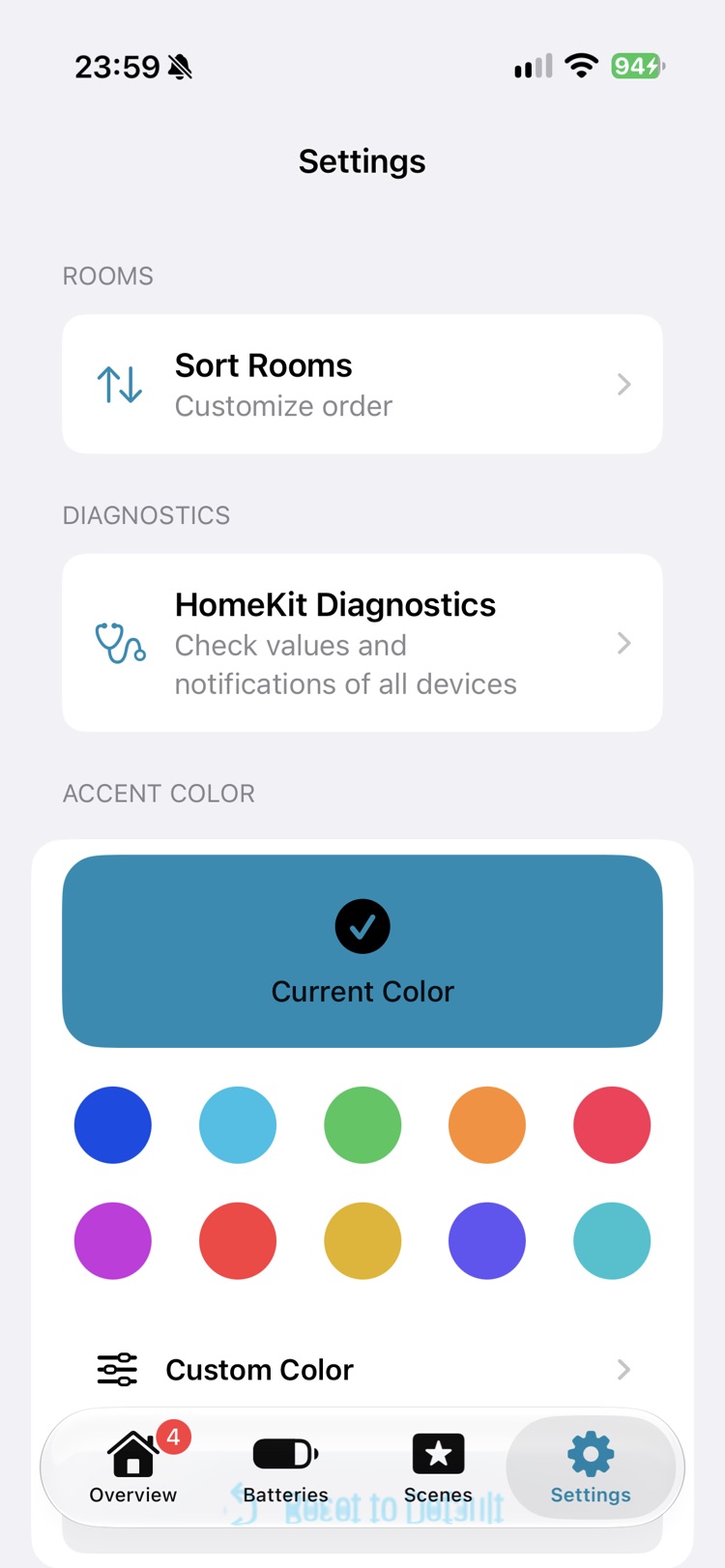
Pick an accent colour from ten presets or mix your own, and put your rooms in the order you walk through them.
- Light and dark appearance, following your iPhone.
- HomeKit Diagnostics: see the value, the time and the notification status of every device, and copy a report if something looks off.
- Available in English and German.
Privacy
Your home stays yours.
Home Pro reads your home from HomeKit on your device. It needs no account and shows no ads. The first time you open it, iOS asks for access to your Home data, and you can withdraw it at any time in Settings.
- Works with
- HomeKit accessories and scenes
- iPhone
- iOS 26.5 or later
- Apple Watch
- watchOS 27 or later (optional)
- Languages
- English, German